Appearance
LLM
The LLM extension is still experimental.
Stability is not yet guaranteed and usage may still change.
The LLM extension enables integration with Large Language Models (LLMs) in two ways:
- An MCP (Model Context Protocol) server allows LLMs to access Medical Logic Modules (MLMs) as tools.
- Define LLM configurations on the LLM extension page to allow MLMs to prompt LLMs through
READstatements. Requests are sent to a configured OpenAI-compatible endpoint.
In addition, the server provides an OpenAI chat completion request proxy that automatically adds tool LLMs into the request before forwarding it to the configured provider.
MCP Server
INFO
Only MLMs that are explicitly configured in the tool list will be available to LLMs.
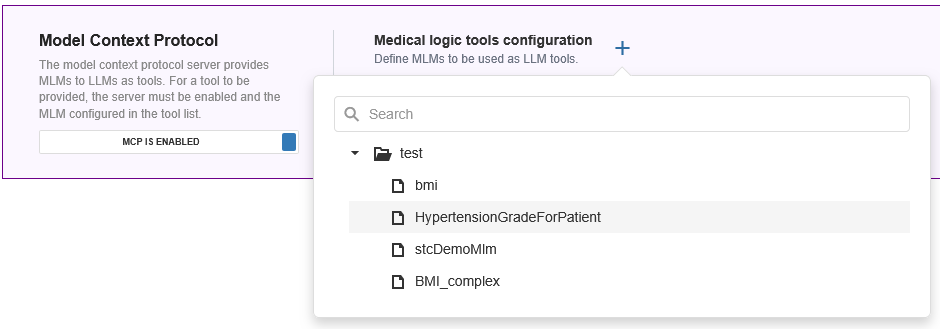
On the LLM extension tab, enable MCP with the toggle switch and add eligible MLMs through the + button. You can click the X on added MLMs to remove them again.
Eligibility
An MLM is only eligible for MCP if it fulfils two conditions:
- It must have content in the purpose slot
- It must have a special input argument definition as explanation slot:
arden-syntax
  explanation:
    Argument <name> of type <type> described <description>;
    Argument <name> of type <type> described <description>;
    ...
  ;;
Support for input and output definitions is planned in a future Arden Syntax version, and the extension may be revised to use that definition when it is published.
Configurations
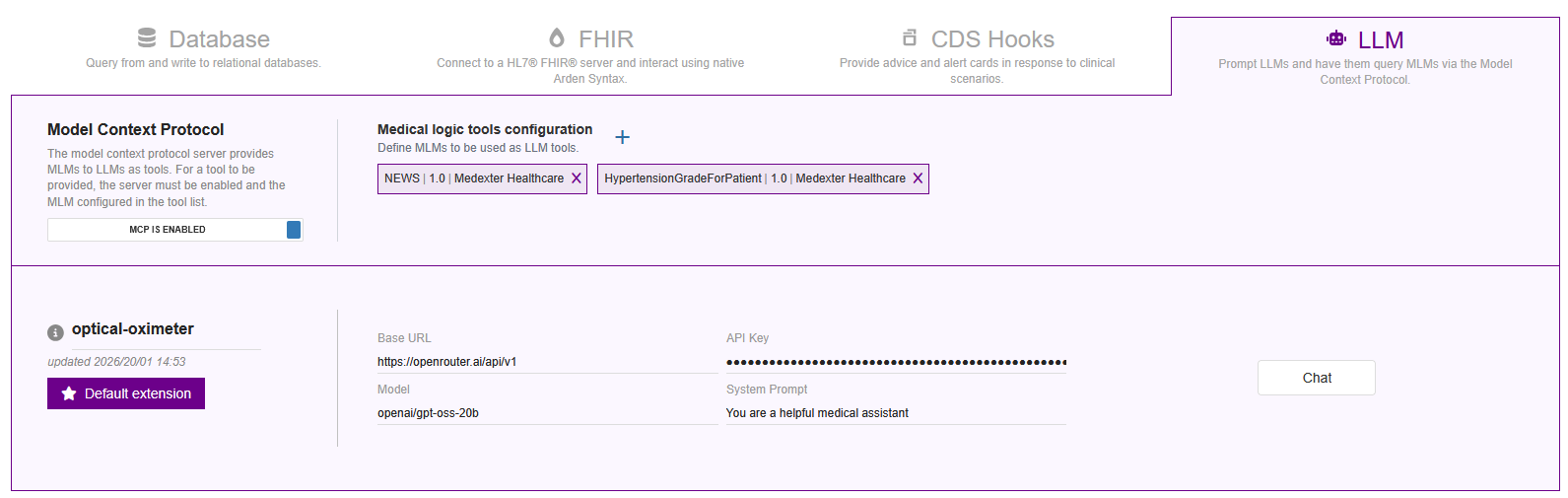
Add an LLM configuration via the New LLM button to allow MLMs to prompt LLMs through READ statements.
The parameters to be provided are:
- Base URL: An OpenAI-compatible endpoint to use
- Model: The specific model identifier included in the
modelfield of OpenAI requests - API Key: API included in the Authorization Bearer header, usually the key or token configured with your provider. Put in a dummy value like
EMPTYfor authentication-free endpoints. - System Prompt: An optional predefined instruction that sets behavior, tone, or constraints for the LLM across all interactions
Usage
Provide at least a prompt to a READ statement. You can optionally override the model too.
arden-syntax
data:
    LET response be READ { FROM my-llm-configuration WITH PROMPT "Say hi" };
    LET response be READ { FROM my-llm-configuration WITH PROMPT "Say hi" AND MODEL "mistral:7b" };
Returned is a string of the generated response.
Language models prompted this way can themselves choose to call other MLMs as tools, opening up the possibility for interesting reasoning chains.
Testing the setup
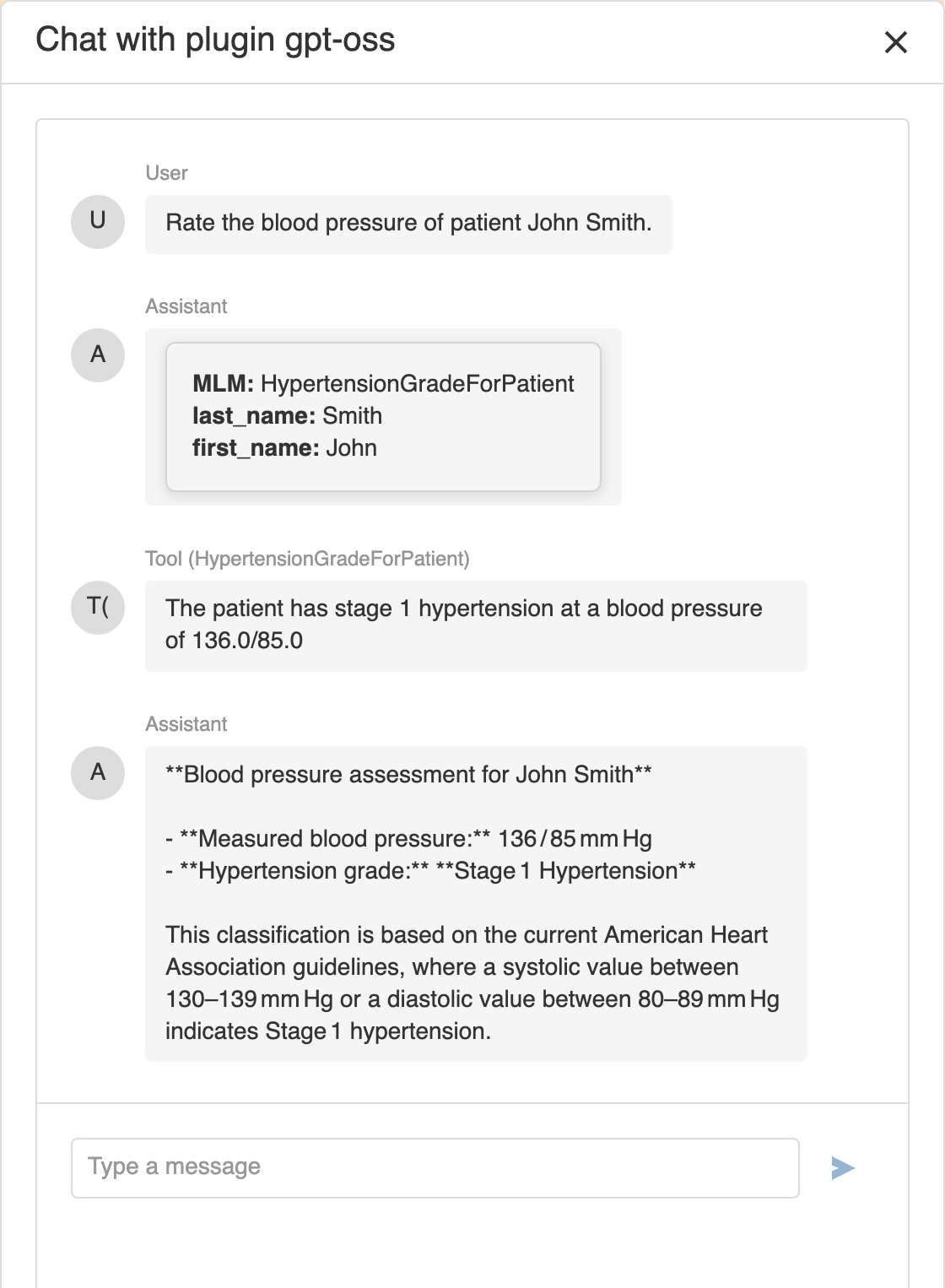
A chat button is available on the right side of each configuration to validate your configuration and play with the capabilities. This testing interface allows you to submit prompts directly to the configured LLM and includes the configured tools.
If the model responds correctly and tool interactions behave as expected, the configuration is considered valid.