
Appearance
User Management
In ArdenSuite, permissions are distributed by assigning one or more roles to user accounts.
Roles and permissions
There are two types of roles; general system roles and workspace roles.
- System roles permit global access to server configuration like managing users or creating and re-ordering workspaces
- Workspace roles are assigned together with a certain workspace and permit access to that workspace and select actions on entities within it, like accessing MLMs.
System roles
System roles mostly grant access to the System area to manage the server.
| Role | Description |
|---|---|
| System Administrator | Is allowed to perform any action on the server |
| User Manager | Can access User Management, remove or create users, and assign roles |
| Workspace Manager | Can access Workspace Management, remove or create workspaces, and re-order them |
Workspace roles
There are three kinds of permissions a role can grant on a type of entity: Read, Write and Execute. The latter is only relevant for MLMs.
The table below illustrates what permissions each workspace role grants to the types of entity within it.
| Role | MLM | Package | Extension |
|---|---|---|---|
| Workspace Maintainer | Read, Write, Execute | Read, Write | Read, Write |
| Workspace Reviewer | Read | Read | Read |
| MLM Maintainer | Read, Write, Execute | Read, Write | Read |
| Extension Maintainer | Read | Read | Read, Write |
| MLM Performer* | Execute | - | - |
* The MLM Performer role is intended for service accounts used in server-to-server communication.
Add or modify a user account
Click the  button to start adding a new user, or click the
  button next to a row to edit that user.
Modify user information
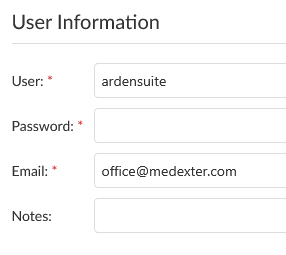
The left side contains basic user information. Passwords and e-mail addresses need to follow the standard rules. The password will only be changed if a value is entered, If the password is left blank, the existing one is kept.
Assigning roles
The right side contains the role assignments.
System-wide administrative roles can be assigned or removed by checkbox:

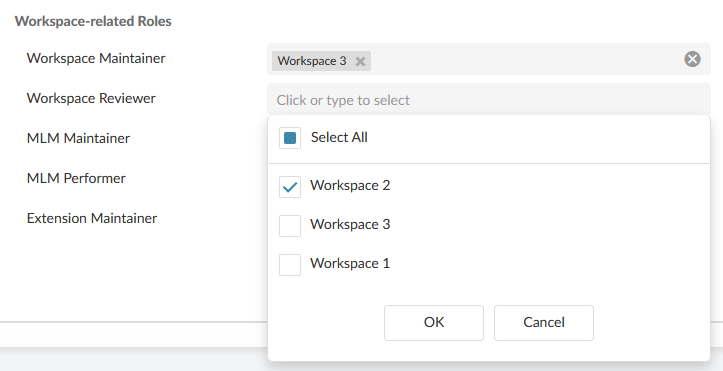
A workspace role can be assigned or unassigned to that user and a workspace by clicking into an empty spot on the selection field next to it, selecting or unselecting workspaces, and clicking OK. Workspace roles can also be unassigned by clicking the small cross in the assignment list.
Saving or discarding edits
Click Save on the bottom right to save your changes, or Cancel to discard them.
Remove a user account
Removing a user account will not remove any content they created.
Click the  button next to a user to remove them. Confirm the removal by clicking Yes.